

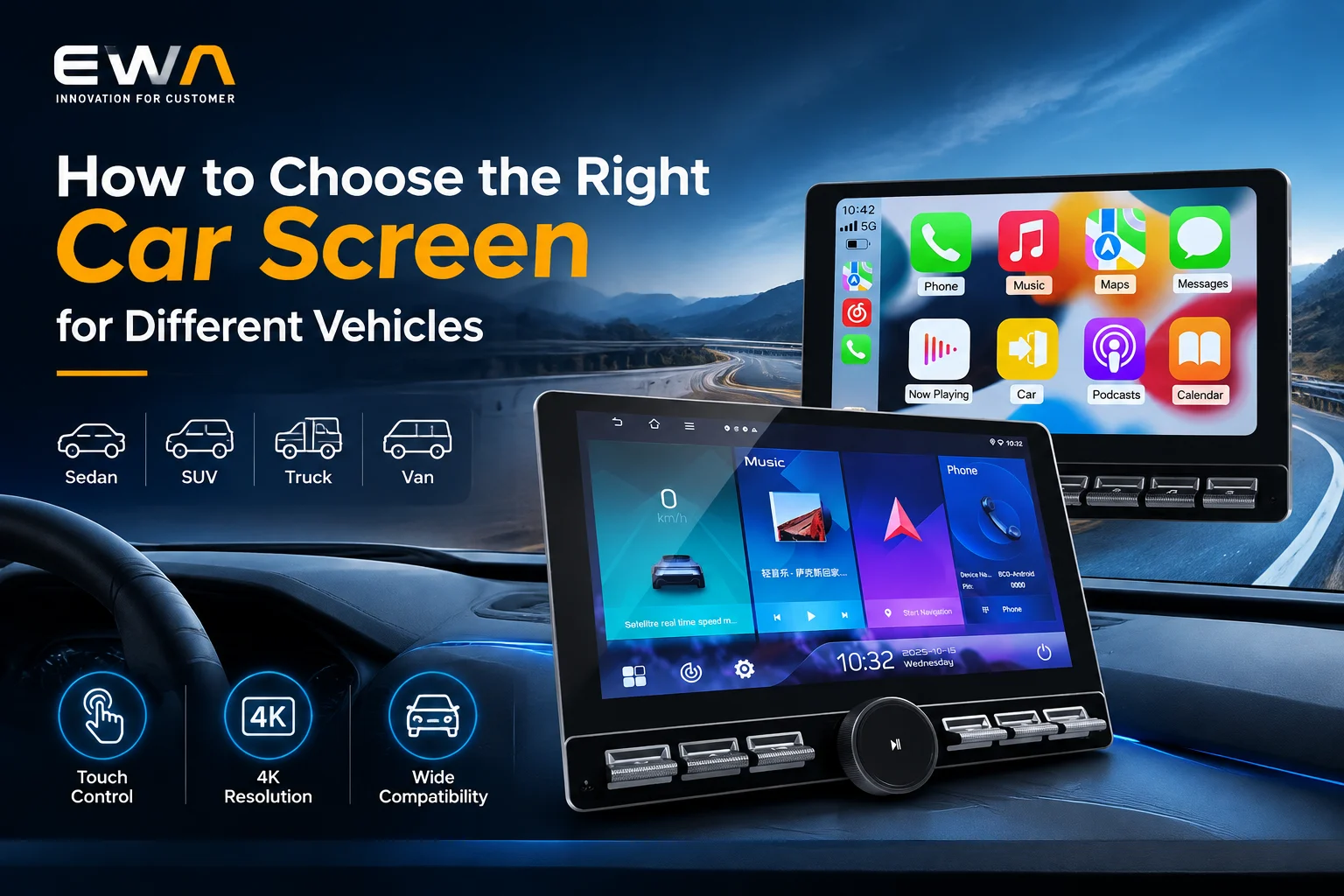
Choosing the right car screen involves more than selecting a display with an attractive size or high resolution. Different vehicles have different dashboard layouts, installation spaces, electrical systems, and driver information requirements. A screen designed for a compact passenger car may not be suitable for a commercial vehicle, SUV, or recreational vehicle.
For automotive electronics buyers, brand owners, and car display screen distributors, selecting the right automotive display requires a systematic evaluation of screen dimensions, resolution, brightness, touch technology, mounting structure, and interface compatibility. These factors influence installation feasibility, viewing comfort, product functionality, and the overall user experience.
This guide explains how to choose a suitable car display screen for different vehicle categories. It also outlines the technical specifications and customization considerations that buyers should review when sourcing OEM or custom car screens.
1. Understand the Display Requirements of Different Vehicles
The first step is to identify the vehicle category and the intended function of the display. Vehicle size, dashboard design, driving environment, and user expectations all affect screen selection.
Car Screens for Compact Cars and Sedans
Compact cars and sedans often have limited dashboard space. Their displays need to balance screen visibility with the available installation area.
Common considerations include:
- Compact display dimensions that fit the dashboard opening
- Suitable resolution for navigation, media, and vehicle information
- Adequate brightness under daylight conditions
- Responsive touch operation
- Compatibility with the vehicle’s power and multimedia interfaces
A compact car may use a smaller central infotainment display, while a premium sedan may feature a larger integrated screen or a multi-display dashboard.
The actual screen size should be determined by dashboard measurements and the intended installation position rather than vehicle category alone.
Car Screens for SUVs and Pickup Trucks
SUVs and pickup trucks often have larger dashboards and may provide more installation space for multimedia displays.
Depending on the vehicle configuration, buyers may consider:
- Larger central infotainment screens
- Wider display formats
- High-resolution navigation interfaces
- Multi-function touchscreen operation
- Integration with cameras and other vehicle systems
For pickup trucks used in demanding environments, screen brightness, viewing angle, mechanical stability, and resistance to vibration may require additional attention.
Car Screens for Commercial Vehicles and Trucks
Commercial vehicles and trucks often require displays that support navigation, fleet applications, vehicle monitoring, and camera systems.
Important requirements may include:
- Readable information from the driver’s seating position
- High brightness for different lighting conditions
- Stable operation under vehicle vibration
- Clear display of maps, camera images, and vehicle data
- Compatibility with external devices and vehicle electronics
The screen should also be positioned to avoid unnecessary driver distraction and comply with applicable vehicle installation and safety requirements.
Car Screens for Buses, RVs, and Special-Purpose Vehicles
Buses, recreational vehicles, and special-purpose vehicles may require displays for passenger entertainment, navigation, rear-view monitoring, or equipment control.
Their display requirements can differ significantly:
- Buses: Passenger information, entertainment, and driver monitoring interfaces.
- RVs: Navigation, multimedia playback, and integrated control interfaces.
- Special-purpose vehicles: Equipment status, camera feeds, and operational information.
For these applications, buyers should define the display’s primary function before selecting the screen size and interface configuration.
Vehicle Type and Display Selection Reference
| Vehicle Type | Typical Display Considerations | Key Selection Priorities |
|---|---|---|
| Compact cars | Space-efficient central display | Dimensions, touch response, interface fit |
| Sedans | Integrated infotainment display | Resolution, appearance, viewing comfort |
| SUVs | Larger central or multi-function display | Screen area, brightness, connectivity |
| Pickup trucks | Multimedia and camera display | Visibility, vibration resistance, mounting |
| Commercial trucks | Navigation and vehicle monitoring | Readability, durability, integration |
| Buses and RVs | Entertainment and monitoring | Application, installation, interface options |
These are general application references, not fixed screen-size standards. The final specification must be matched to the vehicle’s dashboard and electronic architecture.
2. Choose the Appropriate Car Screen Size and Aspect Ratio
Screen size is one of the first specifications buyers compare. However, a larger display is not always the better option.
A screen must fit the available dashboard space, remain visible from the driver’s seating position, and support the required user interface.
Measure the Available Installation Space
Before requesting a quotation, buyers should confirm:
- Maximum screen width and height
- Available dashboard depth
- Mounting position and viewing angle
- Existing dashboard opening dimensions
- Surrounding buttons, vents, and control panels
- Cable routing and connector clearance
For replacement displays, measuring the original screen and checking the mounting structure are especially important.
For new vehicle projects, the display dimensions should be considered during dashboard design rather than added after the structure has been finalized.
Consider Screen Size and Aspect Ratio Together
Screen size is generally measured diagonally. Two screens with the same diagonal measurement can have different widths and heights because of their aspect ratios.
For example, a widescreen display may provide more horizontal space for navigation and multimedia interfaces. A more square-shaped display may be suitable for applications with different dashboard constraints.
| Display Format | Potential Application | Selection Considerations |
|---|---|---|
| Compact display | Space-limited dashboards | Installation dimensions and readability |
| Wide display | Central infotainment systems | Dashboard width and interface layout |
| Portrait display | Vertical dashboard designs | Navigation layout and viewing position |
| Custom aspect ratio | Vehicle-specific projects | Mechanical integration and software adaptation |
The appropriate format depends on the vehicle structure and display content, not simply the diagonal measurement.
3. Select the Right Resolution for Display Performance
Resolution determines how many pixels are used to form the displayed image. It affects text clarity, icon definition, map details, and the overall visual experience.
A suitable resolution should match the screen’s physical size, viewing distance, and intended application.
Common Resolution Considerations
| Resolution | General Characteristics | Potential Applications |
|---|---|---|
| 800 × 480 | Entry-level display resolution | Basic information and simple multimedia interfaces |
| 1024 × 600 | More pixel detail than 800 × 480 | Compact multimedia displays |
| 1280 × 720 | HD resolution | Larger infotainment interfaces |
| 1920 × 720 | Wide-format HD display | Panoramic or widescreen automotive interfaces |
| 1920 × 1080 | Full HD resolution | High-detail multimedia and video applications |
These are examples of commonly used display resolutions, not universal specifications for every vehicle or product.
Match Resolution to Screen Size
A larger display with a low pixel count may show visible pixel structures, especially when viewed at a relatively short distance.
A higher-resolution screen can improve image detail, but it may also require greater processing capability, compatible display interfaces, and appropriate software support.
Buyers should evaluate:
- Pixel density
- Screen dimensions
- Viewing distance
- Interface graphics requirements
- Video input resolution
- Display controller compatibility
For OEM projects, the display resolution should be confirmed together with the host system’s graphics output and software interface.
4. Evaluate Brightness and Viewing Performance
Automotive displays operate in changing lighting conditions. A screen may be used in direct sunlight, bright daylight, shaded environments, or at night.
Brightness and optical performance therefore play an important role in display selection.
Choose Brightness According to the Driving Environment
A display installed in a vehicle exposed to strong daylight may require higher brightness than one used primarily in a shaded or controlled environment.
When comparing specifications, buyers should check:
- Typical brightness in nits (cd/m²)
- Contrast ratio
- Viewing angle
- Surface reflection
- Backlight uniformity
- Automatic brightness adjustment, if supported
Higher brightness can improve daylight visibility, but it does not automatically guarantee good readability. Reflections, contrast, viewing angle, and ambient lighting also affect the result.
Consider Anti-Glare and Optical Bonding Options
Depending on the product design, buyers may evaluate anti-glare surface treatments or optical bonding.
Anti-glare treatment can help reduce reflections from surrounding light sources. Its effectiveness depends on the surface technology and the complete optical design.
Optical bonding fills the gap between the display panel and cover glass with a bonding material. It can reduce internal reflections and improve perceived readability in suitable designs.
These options should be evaluated according to the vehicle’s installation environment, viewing requirements, and cost targets.
5. Select a Touchscreen Technology That Fits the Application
Touch functionality affects how drivers and passengers interact with the display. The right technology depends on the intended user experience, screen size, operating environment, and system design.
Capacitive Touchscreens
Projected capacitive touch technology is widely used in modern infotainment displays and consumer electronic interfaces.
Its common characteristics include:
- Multi-touch support, depending on the controller
- Responsive interaction
- Smooth surface design
- Support for gesture-based interfaces
- Compatibility with suitable cover glass designs
Capacitive touchscreens are suitable for navigation, media control, and interactive applications. However, buyers should verify operation with the intended gloves, moisture conditions, and touch controller configuration.
Resistive Touchscreens
Resistive touch technology detects pressure applied to the screen surface.
Its characteristics may include:
- Operation with a finger, stylus, or gloved hand
- Pressure-based input
- Different surface and optical characteristics from capacitive designs
It may be considered for specific industrial or special-purpose vehicle interfaces, although the final choice depends on application requirements and system design.
Touchscreen Comparison
| Feature | Capacitive Touch | Resistive Touch |
|---|---|---|
| Input method | Electrical capacitance | Applied pressure |
| Multi-touch | Commonly supported, controller-dependent | Generally limited |
| Input tools | Finger or compatible stylus | Finger, stylus, or glove |
| Surface design | Often glass-based | Commonly uses flexible layered structures |
| Typical applications | Infotainment and navigation | Specialized control interfaces |
The touchscreen should be tested as part of the complete display assembly. A touch panel alone does not guarantee compatibility with the vehicle’s operating system or user interface.
6. Check the Installation Structure and Mounting Method
A car screen can have excellent display specifications and still be unsuitable if its physical structure does not fit the vehicle.
Installation compatibility should be evaluated before production or bulk purchasing.
Dashboard-Integrated Displays
Integrated displays are designed to fit into a specific dashboard structure.
Their advantages may include:
- A cleaner dashboard appearance
- Vehicle-specific mounting dimensions
- Better alignment with surrounding controls
- A more integrated user experience
However, they often require accurate vehicle-specific measurements and mechanical design.
Universal and Aftermarket Displays
Universal or aftermarket displays may support a broader range of vehicle applications.
Buyers should verify:
- Mounting bracket dimensions
- Dashboard opening requirements
- Available installation depth
- Power and signal cable routing
- Compatibility with the vehicle’s existing systems
A product described as universal should not be assumed to fit every vehicle without modification.
Custom Car Screen Mechanical Design
For automotive brands and distributors developing a vehicle-specific product, a custom car screen may require adjustments to:
- Display housing dimensions
- Bezel design
- Mounting brackets
- Connector location
- Cable length
- Cover glass shape
- Button and control placement
Mechanical drawings and installation samples should be reviewed before tooling or mass production.
7. Confirm the Interface and Connectivity Requirements
Interface compatibility is essential when integrating a car display screen with a multimedia system, vehicle computer, camera, or external device.
Buyers should distinguish between the display panel’s internal interfaces and the external interfaces available on the complete multimedia device.
Display Panel Interfaces
Depending on the display module, internal signal interfaces may include:
- LVDS
- MIPI DSI
- RGB
- eDP
- Other application-specific interfaces
These interfaces are not automatically interchangeable. Buyers must confirm the interface type, pin assignment, voltage requirements, timing, resolution support, and host-controller compatibility.
External Multimedia Interfaces
A complete car multimedia system may include external connectivity options such as:
| Interface | Potential Function | Buyer Considerations |
|---|---|---|
| USB-A | Storage devices and supported peripherals | Data support, power output, file compatibility |
| USB-C | Data and power connectivity | Protocol and power-delivery support |
| HDMI | External video input | Supported resolution and signal format |
| AV input | Compatible external video devices | Signal format and connector type |
| Camera input | Rear-view or additional camera connection | Camera signal compatibility |
| CAN bus | Vehicle data communication | Protocol, vehicle configuration, and software support |
| Bluetooth | Wireless device connection | Supported profiles and device compatibility |
| Wi-Fi | Wireless connectivity | Frequency band, system support, and software configuration |
Not every car screen supports all these interfaces. Buyers should request a complete interface specification rather than relying on connector appearance alone.
Check the Vehicle’s Electrical and Communication Requirements
Before selecting a display or multimedia system, confirm:
- Input voltage range
- Power consumption
- Startup and shutdown behavior
- Grounding and wiring requirements
- Communication protocol
- Camera signal format
- Vehicle-specific integration requirements
For projects involving CAN bus or other vehicle communication systems, protocol compatibility and software integration should be confirmed with the vehicle system provider.
8. Consider Environmental Reliability for Automotive Applications
Unlike many indoor consumer displays, automotive displays may operate under changing temperatures, vibration, humidity, and sunlight exposure.
A suitable product should be evaluated against the environmental conditions of its intended installation.
Temperature Performance
Buyers should check the specified operating and storage temperature ranges.
These values should match the vehicle’s expected environment, including dashboard exposure to heat and cold. The display panel, touch controller, backlight, adhesives, and electronic components may have different temperature limits.
Vibration and Mechanical Stability
Vehicle movement can expose the display assembly and mounting structure to continuous vibration and occasional mechanical shock.
Evaluation may include:
- Housing and bracket strength
- Connector retention
- Cable strain relief
- Internal component fixation
- Relevant vibration and shock test results
Sunlight and Long-Term Display Performance
Sunlight exposure can affect screen readability and long-term component performance.
Buyers should consider brightness stability, backlight performance, surface durability, and the suitability of materials for the intended environment.
Where applicable, request test specifications and reports rather than relying on general descriptions such as automotive-grade or high durability.
9. OEM and Custom Car Screen Solutions: What Buyers Should Prepare
For automotive electronics brands and distributors, a custom car screen project should begin with a clear technical specification.
A manufacturer can provide more accurate feedback when the buyer shares the vehicle application, mechanical requirements, display parameters, and connectivity needs.
Customization Options
Depending on the manufacturer’s capabilities, customization may cover:
- Screen size and aspect ratio
- Resolution and brightness
- Touch panel technology
- Cover glass and surface treatment
- Housing and mounting structure
- Internal display interface
- External connector configuration
- Cable and harness design
- Logo and product appearance
- Multimedia system configuration
For a complete car multimedia display device, buyers may also need to define the operating system, processor platform, memory, wireless connectivity, and supported applications.
These system-level specifications should be distinguished from the LCD panel specifications.
OEM Inquiry Checklist
| Required Information | Details to Prepare |
|---|---|
| Vehicle application | Car, SUV, truck, bus, RV, or special-purpose vehicle |
| Screen dimensions | Diagonal size, width, height, and aspect ratio |
| Resolution | Required pixel dimensions |
| Brightness | Target brightness and lighting environment |
| Touch technology | Capacitive, resistive, or non-touch |
| Installation | Dashboard opening, mounting drawing, and housing dimensions |
| Display interface | LVDS, MIPI DSI, RGB, eDP, or other required interface |
| External connectivity | USB, HDMI, camera, Bluetooth, CAN, and other requirements |
| Environment | Operating temperature, vibration, and exposure conditions |
| Order requirements | Estimated quantity, customization scope, and target schedule |
Providing these details helps reduce specification gaps during product development and supplier evaluation.
10. Frequently Asked Questions About Car Screens
Q1: What size car screen is suitable for different vehicles?
There is no single screen size suitable for every vehicle. The right size depends on dashboard dimensions, viewing position, intended functions, and installation structure. Buyers should confirm the available space before selecting a display.
Q2: Is a higher-resolution car display screen always better?
Not necessarily. Higher resolution can improve image detail, but the host system must support the required output. Screen size, pixel density, viewing distance, graphics performance, and overall cost should be considered together.
Q3: What brightness is suitable for an automotive display?
Brightness requirements depend on the installation environment and screen surface. Displays exposed to strong daylight may require higher brightness, but reflection control, contrast, and viewing angle also influence readability.
Q4: Which touchscreen technology is better for car screens?
Capacitive touch is common in modern infotainment systems because it supports responsive and often multi-touch interaction. Resistive touch may suit certain specialized interfaces. The choice depends on user requirements and operating conditions.
Q5: Can one car screen fit multiple vehicle models?
Some aftermarket displays support multiple vehicle applications, but universal compatibility should not be assumed. Dashboard dimensions, mounting brackets, wiring, power requirements, and vehicle communication protocols must be checked.
Q6: What interfaces should buyers check when sourcing a car screen?
Buyers should distinguish between internal display interfaces and external multimedia connectivity. Internal interfaces may include LVDS, MIPI DSI, RGB, or eDP, while complete systems may offer USB, HDMI, camera inputs, Bluetooth, or CAN bus support.
Q7: What information is needed to develop a custom car screen?
Prepare the vehicle application, screen dimensions, resolution, brightness, touch requirements, mounting drawings, interface specifications, environmental conditions, and estimated order quantity. Reference samples or product drawings can also help manufacturers evaluate the project.
Conclusion: Choose a Car Screen Based on the Complete Vehicle System
Choosing the right car screen requires a balance between display performance, physical installation, interface compatibility, and environmental reliability. Screen size and resolution are important, but they should never be evaluated independently of the vehicle’s dashboard structure and multimedia system.
For automotive electronics buyers, brands, and distributors, a structured selection process helps reduce compatibility risks and supports more efficient product development. Start with the vehicle application, confirm the mechanical and electrical requirements, and then evaluate display specifications and customization options.
For projects involving vehicle-specific displays or integrated multimedia systems, working with an experienced automotive display supplier can help align product design with actual installation and application requirements.
EWA provides automotive display and multimedia display solutions for different vehicle applications. Contact EWA to discuss your car screen requirements, display specifications, and potential OEM customization options.



Add comment